

Snore Recorder Free
by MusicalSoundLab
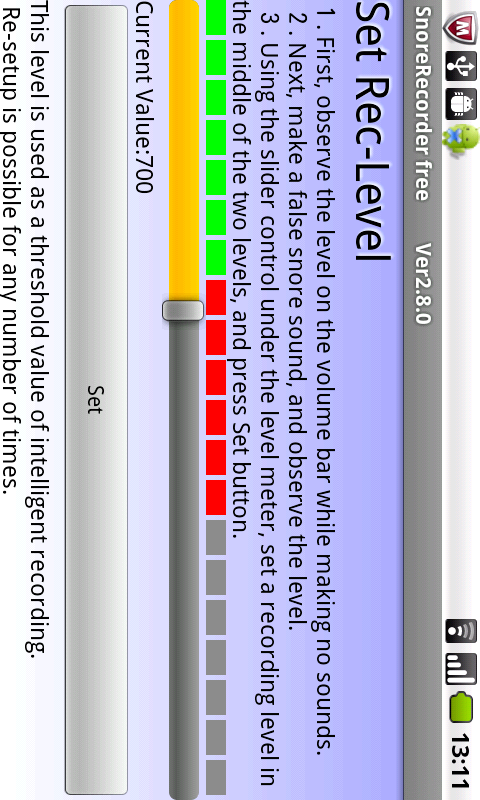
Intelligent program to record sounds that exceed a loudness level.
Snore Recorder Free
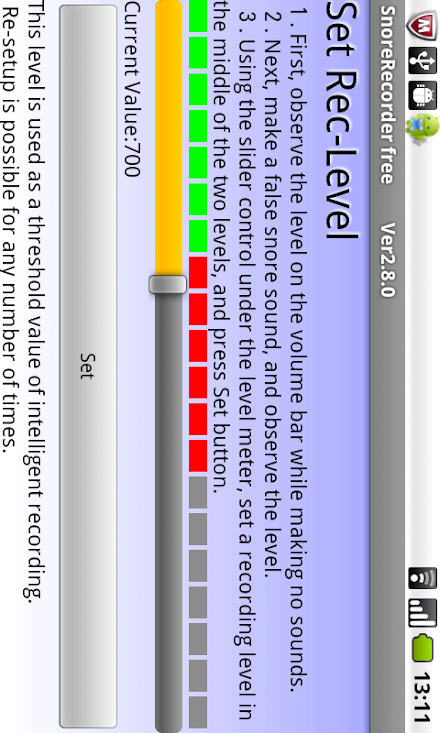
The app records only sounds with loudness above the pre-set level.
The recording is very efficient because silent portions are cut and only the audible portions are saved.
For example, after the recording is started, the sounds may be Zzz, 10 seconds of silence, Zz, 3 minutes of silence, Zzzzz, 2 hours of silence, and so on.
After recording is stopped, this would be saved as ZzzZzZzzzz.
As a result, the size of the recording can be small.2.
Pre-recording and post-recording are also possible.
For example, since s and h are soft sounds, they may not trigger recording.
So stop becomes top and hurry up becomes urry up.
To avoid this trouble, the pre-recording function captures sound just before the point where sound is detected.
And because of deletion of silence, I cant go there becomes I cago there.
To prevent this, the post-recording function continues recording for a short time after the sound goes below the set level.3.
Recording is performed in the background, even with the screen off, which minimizes battery drain.4.
Only one WAV file is recorded in a given session from start to stop, regardless of the number of times a sound is recorded.
This simplifies file management.5.
The recording is stored on the devices SD card as a WAV file, and can be attached to an email or copied from the SD card directly.
The recordings are stored in the SnoreRec folder.6.
Recording time is displayed (Pro version only).
The time when a sound was recorded is displayed during playback so you can see when and what kind of sound is emitted.* For a suitable sound recording trigger level, the total recording time will be several minutes for a start-to-stop time of 7 hours.* Everything is recorded if the sound level is set to 0.
In that case, the app acts like a normal PCM sound recorder.
★You can obtain the paid version, too.Enhanced content from the free version to the paid version:※Please see the screen shots of SnoreRecorder Pro.・The time when a sound was recorded is displayed during playback so you can see when and what kind of sound is emitted.・You can visualize your snoring and see them.See the screen shot.Each dot corresponds to one snore etc.・In visual playback, to tap any position of the screen, and playback of recording data will begin from the position.・When the non-sound for tens of seconds is repeated, it is distinguished automatically, displayed on the screen.It may be sleep apnea syndrome(SAS).・The silent start time, silent time, and noisy time is saved in CSV format.・You can send to PC by attaching CSV data and the screen image to e-mail easily.* The data recorded with the free version can be used with the paid version.* Before purchasing the paid version, test the operation using the free version.Added support for Android9.
About Snore Recorder Free
- Package name (App ID)
- com.MusicalSoundLab.IntelligentRecorderFree
- Available on
- Google Play
- Price
- Free
- Version
- v3.0.0
- Updated
- October 31, 2019
- Developer
- MusicalSoundLab
Looking for the Snore Recorder Free APK?
The safest way to get Snore Recorder Free (com.MusicalSoundLab.IntelligentRecorderFree) on your Android device is to install it directly from Google Play — you'll always get the latest official version, automatic updates, and no risk of modified or infected APK files from third-party sites.

Music Features
Enjoy high-quality music streaming and playback features.
Gaming Features
Enjoy immersive gaming experience with various game modes.
Fitness Tracking
Track your workouts and monitor your health metrics.
See Snore Recorder Free in Action


What Our Users Say
Don't just take our word for it. Here's what our users have to say about this Android app.
"Spy ware, buyer beware! This app has a tricky app permissions game. Sends the user to a direct permission area of user's phone and ask for permission on individual items. First the mic and then the storage "management"! The management permission allows management of all the files on your phone. That is an invasion of the user's privacy potentially. Remove this app from circulation."
"A1"
"Waste"
"A complete waste of time to download. Couldn't even get it to record. User interface is deceptively easy but unclear and each button leads nowhere important. I am still unsure how to use this app as the guide is as useless as the app."
"very good"
"The app blocked my alarms from playing on the phone while it's active; not a good feature of an app your supposed to turn on when you go to sleep. Only records ten minutes but keeps running."
"Rubbish."
"It doesn't work"
"I get that you want to sell the pro version, but the trial version has none of the functionality of the pro version. How am I supposed to evaluate? You may want to rethink your strategy"
"There's minimal function to this app. Aside from a compressed sleep recording - which doesn't sound clear and is played back so fast it makes you sound like your humming in your sleep. There is no analysis to it."
Frequently Asked Questions
Is Snore Recorder Free free?
Yes, Snore Recorder Free is free to download and install on Android through Google Play.
How do I install Snore Recorder Free on Android?
Open Google Play on your Android phone or tablet, search for Snore Recorder Free by MusicalSoundLab or tap the Google Play button on this page, then tap Install. The app downloads and installs automatically.
What is com.MusicalSoundLab.IntelligentRecorderFree?
com.MusicalSoundLab.IntelligentRecorderFree is the App ID (package name) of Snore Recorder Free on Google Play. Every Android app has a unique package name, and it is the safest way to verify you are installing the official app.
Is Snore Recorder Free safe to download?
Installing Snore Recorder Free from Google Play is the safest option: you get the official version published by MusicalSoundLab, verified by Google Play Protect, with automatic updates. Avoid APK files from unofficial third-party sites.
Get Snore Recorder Free Today
Snore Recorder Free for Android — free download on Google Play.
Compatible with Android phones and tablets — available on Google Play.
Ask AI about this app
Get instant answers about features, tips and more from popular AI assistants.